About: Loop Watch Face
NOT FOR SAMSUNG GEAR S2/S3 – NO TIZEN COMPATIBILITY - Not compatible on Sony Smartwatch 3
✭✭✭ Loop Watch Face ✭✭✭
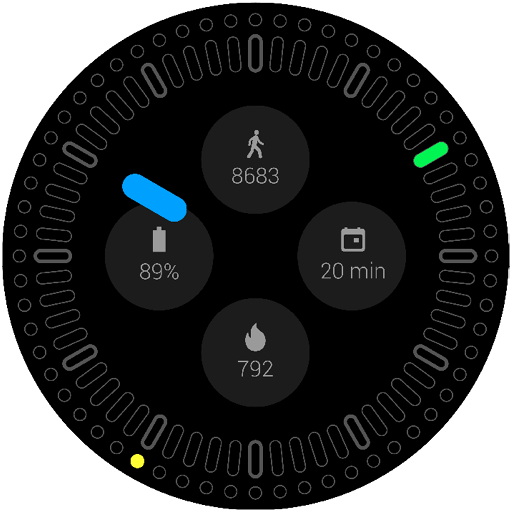
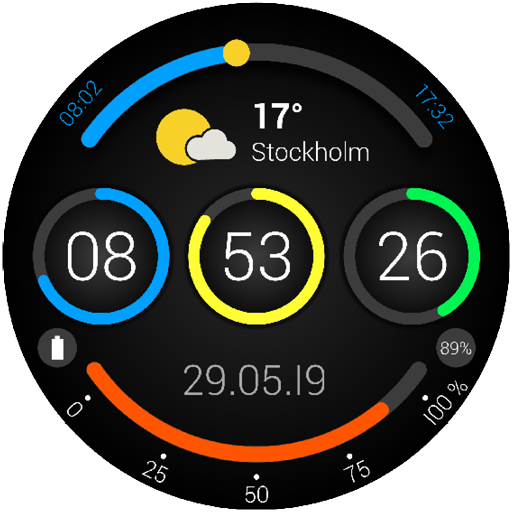
This watch face was designed to display multiple types of data with gauge indicator on top and bottom of the dial. Here is a short description of the data displayable.
BATTERY: displays the level of battery on a gauge.
STEPS: displays the steps achieved during the day. The user can set a daily goal and see his progression on the gauge. This data requires that you allow access to your Google fit data.
TEMPERATURE: fully customizable thermometer. Choose your median value and the range of the temperature to fit your needs. Colors of the gauge are using the official colors for weather forecasting (not customizable). The weather data are provided by the OpenWeatherMap API.
WEEK: displaying the days of the week for a global overview. First day of the week can be set manually.
UV: displaying the current UV index to prevent you from sun exposure. Since we used the conventional standard colors to display this data, customization is disabled.
DAYLIGHT: shows the position of the sun in the sky. Sunrise and sunset time are displayed on both sides of the gauge.
Swiss made watch faces created by experienced watch designers.
Check http://www.white-group.com/
Premium features and settings
• 4 backgrounds
• 26 selectable colors for the gauges (14 flat colors / 12 gradient colors)
• 6 different types of data displayable (battery / steps / temperature / week / UV / day light)
Free features and settings
• Black background
• Gauge colors:
o Sooon Blue
o Sooon Green
o Sooon Yellow
o Universal White
o Universal Grey
• Data type of gauge:
o Week
o Battery
• No complication
• 2 different ambient modes:
o Full: shows all features, while battery consumption is reduced
o Battery: shows only time, to save even more battery
Specifications
• Optimized for low battery consumption
• Developed for Wear OS 2.0
• Compatible with Wear OS 1.X
• NOT FOR SAMSUNG GEAR S2/S3 – NO TIZEN COMPATIBILITY – NOT COMPATIBLE WITH SONY SMARTWATCH 3
• No ads
Installation
Wear OS 2.0 – from your smartwatch
1. Open the Playstore app via your wear device
2. Download and install the watch face
3. Long press and swipe right to « add more watch faces »
4. Select your new watch face
5. Infinite loops
Wear 1.x & 2.0 – from your phone
1. Open the Playstore app via your phone
2. Make sure phone is connected to your wear device
3. Download and install the watch face on your phone
4. Within seconds/minutes the watch face will appear on your wear device
5. Infinite loops
Should you experience any problem please contact us instead of smashing us.
We will get in touch with you asap
 id
id
 English
 Español
 Русский
 Deutsch
 Français
 العربية
 Italiano
 Türkçe
 Polski
 Português
 Indonesia
 日本語
日本語