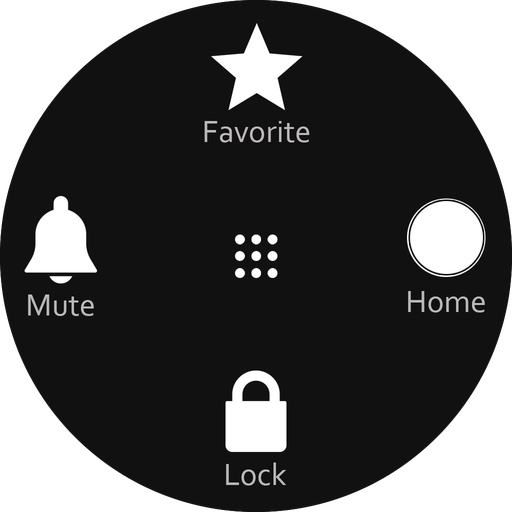
About: Assistive Touch Easy Touch
Assistive Touch is an easy tool application for you Android Device, With a floating button on screen, you can easily operate your device with Assistive Touch Application. You ca Quickly Access to your Al Apps,settings,toggles and games.Assistive Touch is Also helps you to protect hard button (physical button).its very useful for any screen size device.
Features of Assistive Touch easy Touch
▶ Easy, fast, smooth without lagging.
▶ Easy to open your Favorite Apps.
▶ Access any settings from Assistive Touch Buttons.
▶ Easily open Assistive Touch Menu.
▶ Single Tap Assistive Touch for Go to Home Screen.
▶ Add Multiple finger gestures using Assistive Touch.
▶ update/set Multiple finger gestures using Assistive Touch.
▶ Easy access lock screen, Notifications ans App Switcher.
▶ Easily Adjust Volume using Assistive Touch.
▶ Take Screenshot/Secord Screen using Assistive Touch button on Screen.
No Limits of Customization to Assistive Touch
▶ Change Color for Floating Assistive Touch.
▶ Add Single Tap Function for Assistive Touch Button.
▶ Add Double Tap Function for Assisitve Touch Button.
▶ Add Long press Function for Assistive Touch Button.
▶ Customize your Touch Assistive panel upto 8 items
▶ Chanage Color for Assistive Touch Panel Color
▶ Resize your Assistive Touch Button
▶ set Opacity for yout Assistive Touch Button.
▶ Change icon of your Floating Assistive Touch Button.
▶ Choose Icon From Gallery too.
How to Use Assistive Touch Easy Touch?
▶ Install App From Playstore
▶ Open App and Read Privay policy and Agree to it.
▶ Provide Some Permissions for the Assistive Touch App to Work Best.
▶ App Will Guide you to grant permissions.
▶ Enable Assistive Touch from Home Screen.
▶ Setup Single-tap for Easy Assistive Touch.
▶ Setup Double-tap Functions.
▶ Setup Ling press Functions.
Permission Declarations for Assistive Touch Easy Touch
▶ CAMERA: To On/off Tourch Light
▶ READ/WRITE_EXTERNAL_STORAGE: to customize floating Assisitive Touch Button from Gallery.
▶ DRAW_OVER_SCREEN: To Allow Assistive Touch all over the Screen.
▶ BIND_ACCESSIBILITY_SERVICE: To allow apps to draw in HOME SCREEN.
If you love our application, please rate for this app 5 stars, don’t forget to share the app to your friends.
Thank you so much for downloading and using the “Assistive Touch Easy Touch Screen Recorder” application.
 de
de
 English
 Español
 Русский
 Deutsch
 Français
 العربية
 Italiano
 Türkçe
 Polski
 Português
 Indonesia
 日本語
日本語